COMPLETED PROJECT · LEARNING
Olive Harvest
VR Training
Learn by direct experience. A gamified training that teaches two harvesting methods hands-on in a virtual olive grove.
CHALLENGE
It's hard to explain the difference between traditional and mechanical olive-harvesting methods in a classroom setting.
APPROACH
We built a gamified VR training simulation that lets users hands-on experience both the branch shaker and branch beater methods.
RESULT
Users learn both harvesting methods by practising them themselves in the virtual olive grove.
FORMAT
VR training simulation
CONTENT
Gamified training content
METHODS
Branch shaker · branch beater
DOMAIN
Agricultural production · workforce training
01 / PROJECT
An olive grove instead of a classroom.
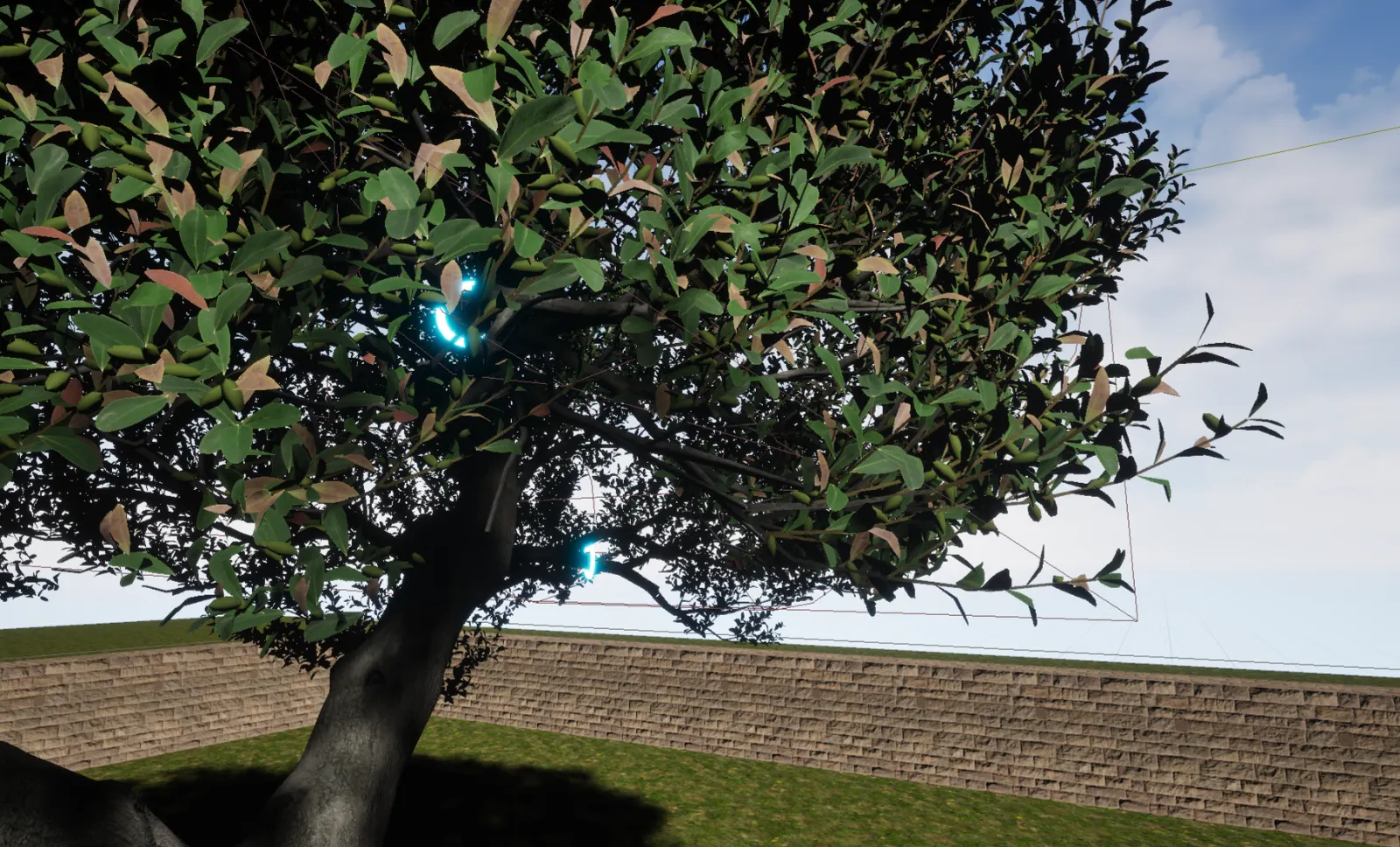
Olive Harvest VR Training gives participants the chance to learn by doing, without traditional classroom instruction. In a virtual olive grove, users experience two different methods: harvesting with the branch shaker and harvesting with the branch beater.
In both methods, participants learn the equipment's features and experience the details of the application step by step; beyond theoretical knowledge, they grasp the differences between the methods through direct practice.
02 / TWO METHODS
Same tree, two different techniques.
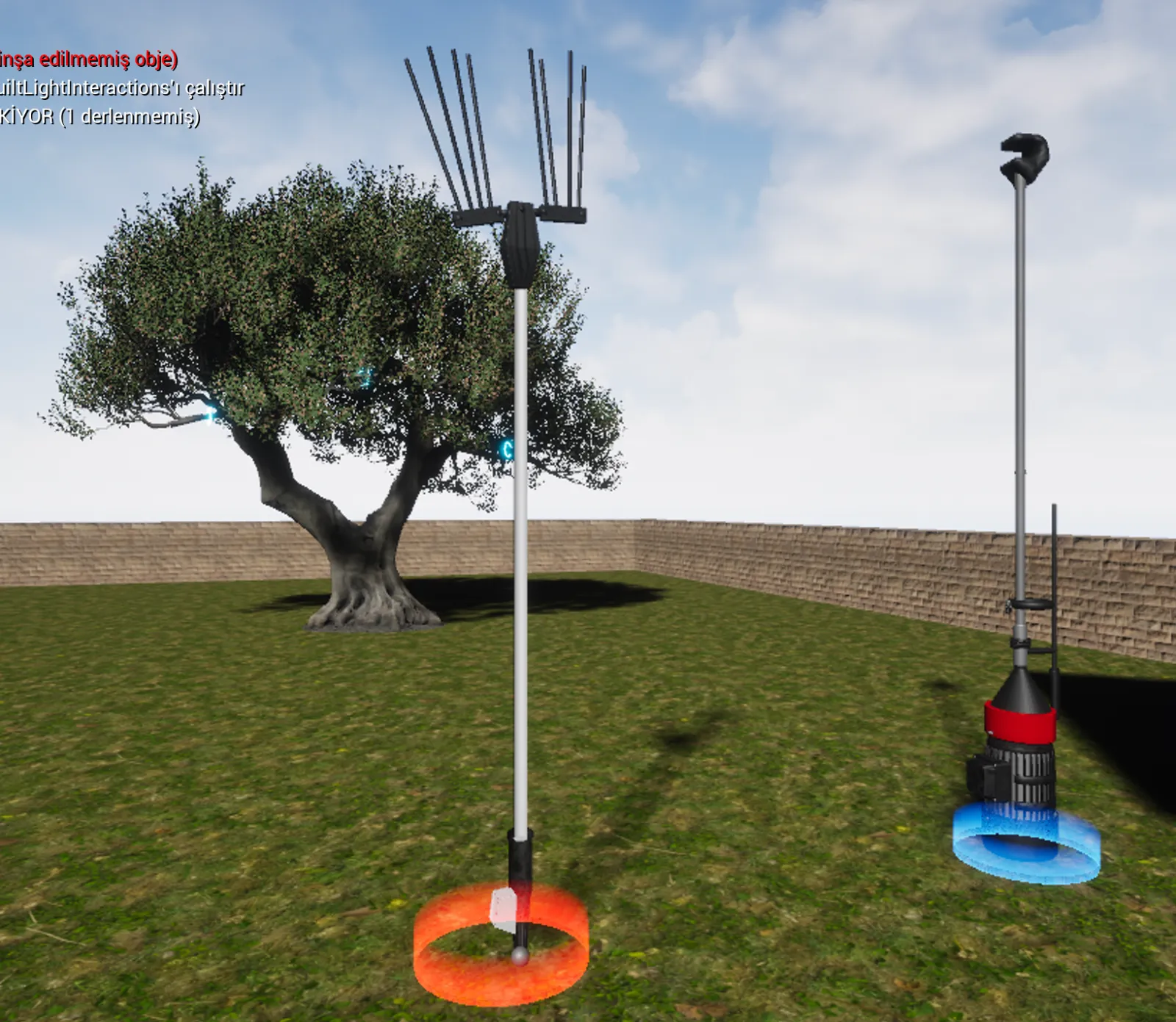
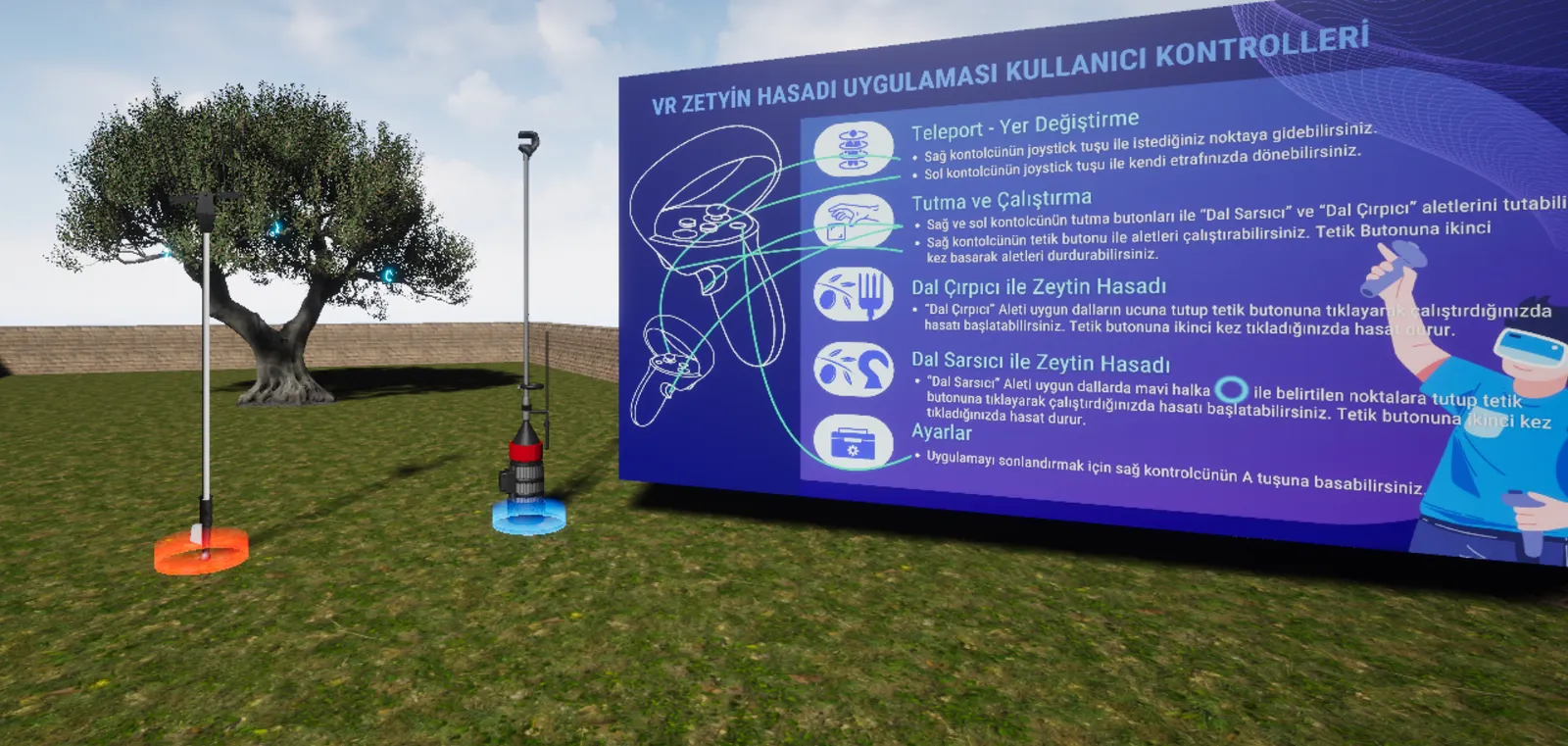
Try both tools in the simulation on the left; harvest speed and duration are compared on the panel.
METHOD A · ORANGE RING0
Harvesting with the Branch Beater
The tool is held at the tip of suitable branches and activated with the trigger button. Vibrating fingers comb the branch and drop the olives onto the net below. Pressing the trigger a second time stops the harvest.
METHOD B · BLUE RING0
Harvesting with the Branch Shaker
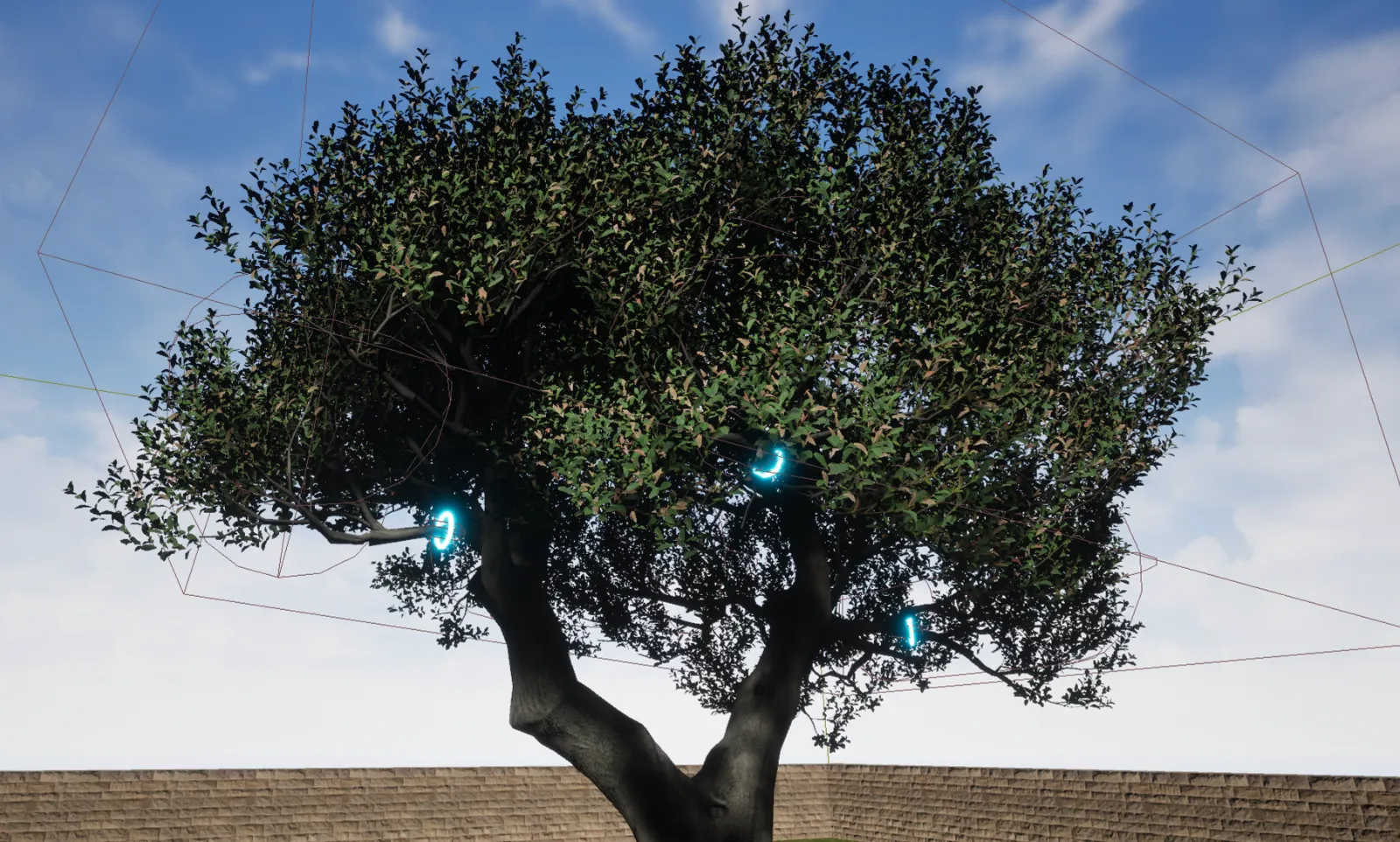
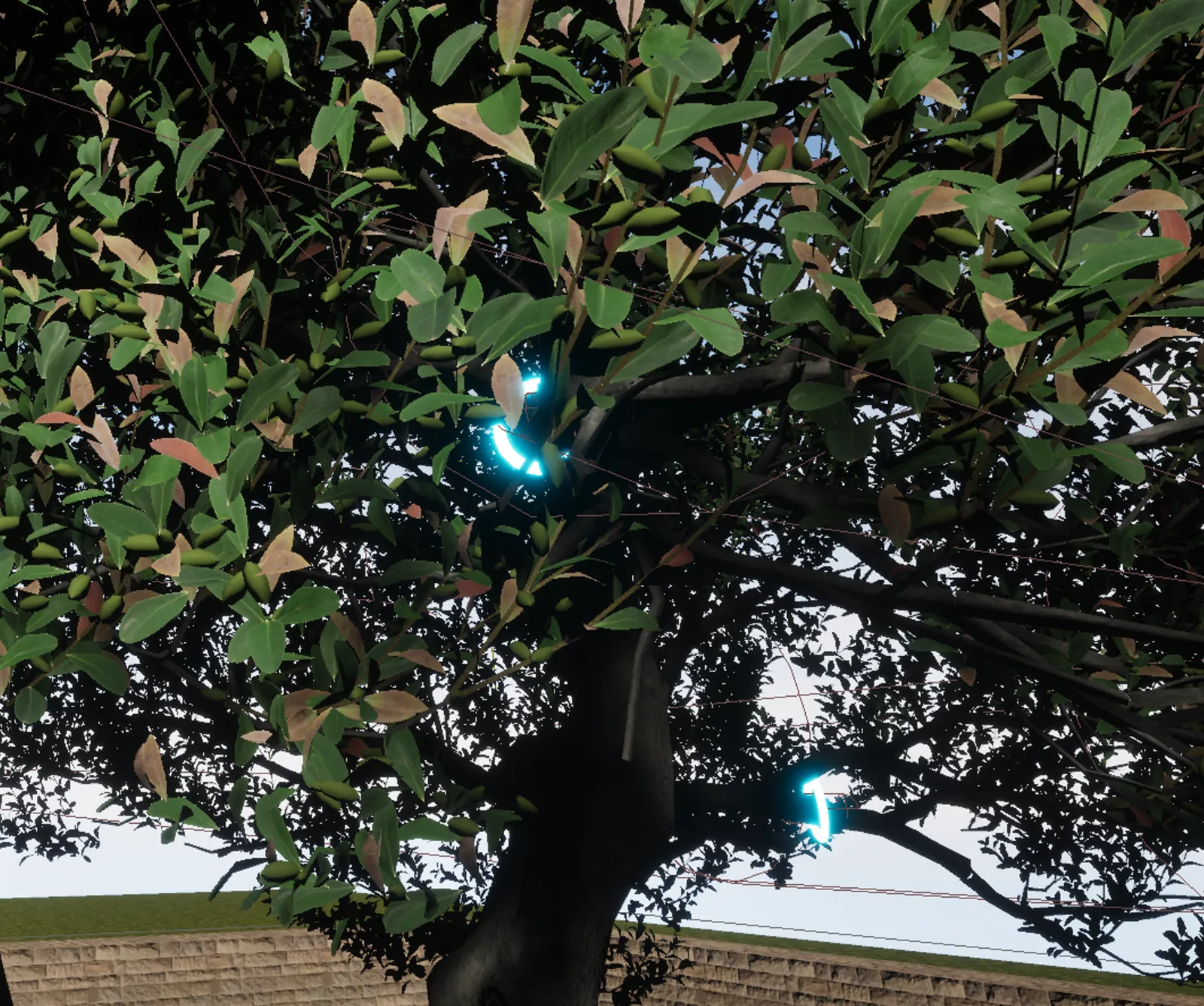
The tool is hooked onto the points marked with a blue ring on the branches and activated with the trigger. Motorised vibration shakes the entire branch cluster. Pressing the trigger a second time stops the harvest.
03 / LEARNING OUTCOMES
01You learn the correct use of the branch shaker and branch beater equipment.
02You discover the advantages, limitations and best practices of both methods.
03By preparing for real field conditions, you shorten the learning curve and reduce the risk of error.
04 / USER CONTROLS
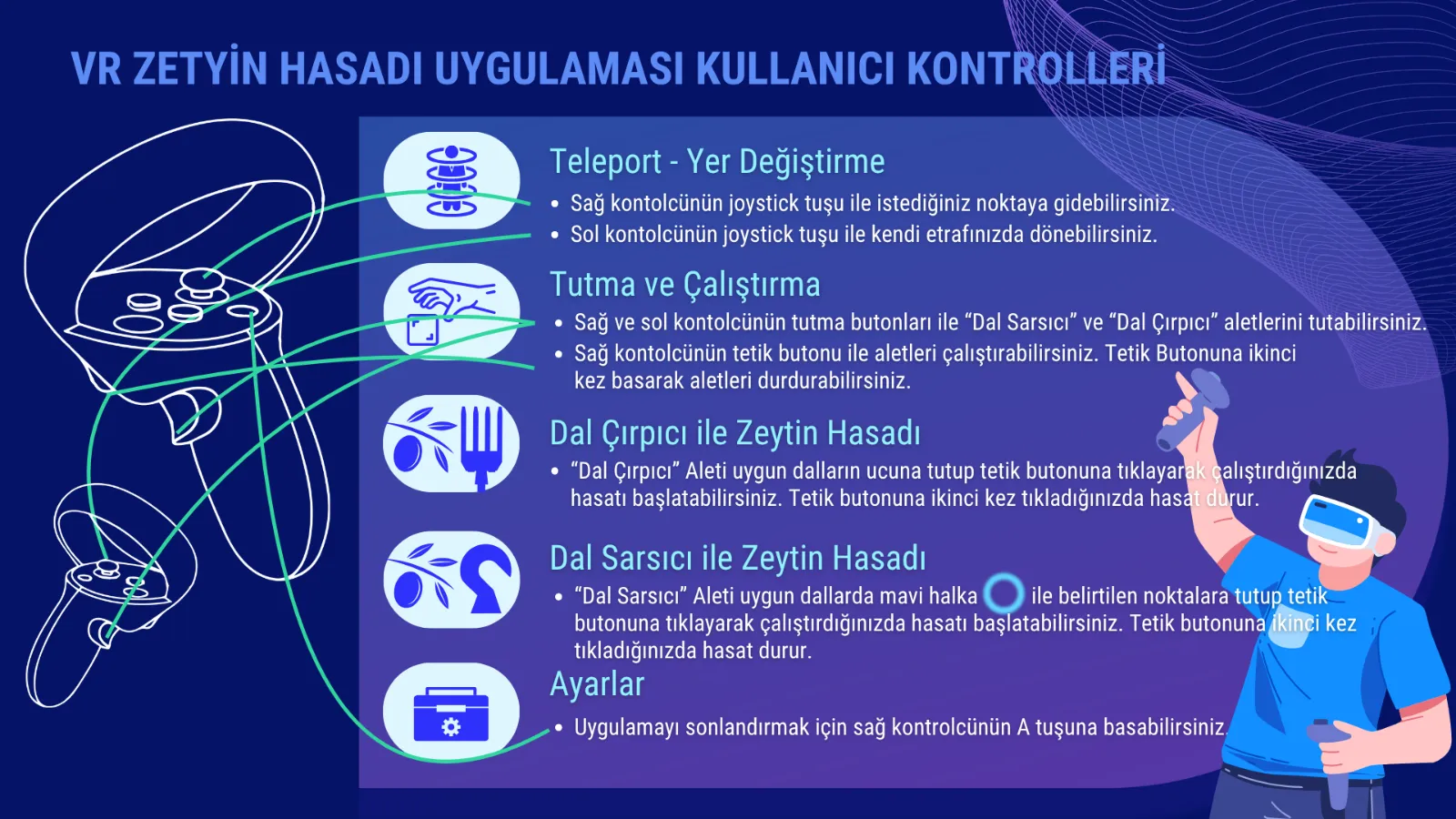
Two controllers, intuitive interaction.
C-01
Teleport · movement
The right joystick moves you to the desired point; the left joystick turns you around in place.
C-02
Grip and activate
Grip buttons are used to hold the tools; the right trigger activates the tool, a second press stops it.
C-03
Settings
The A button on the right controller is used to quit the application.
05 / SCREENSHOTS FROM THE EXPERIENCE